Servers & Dashboard
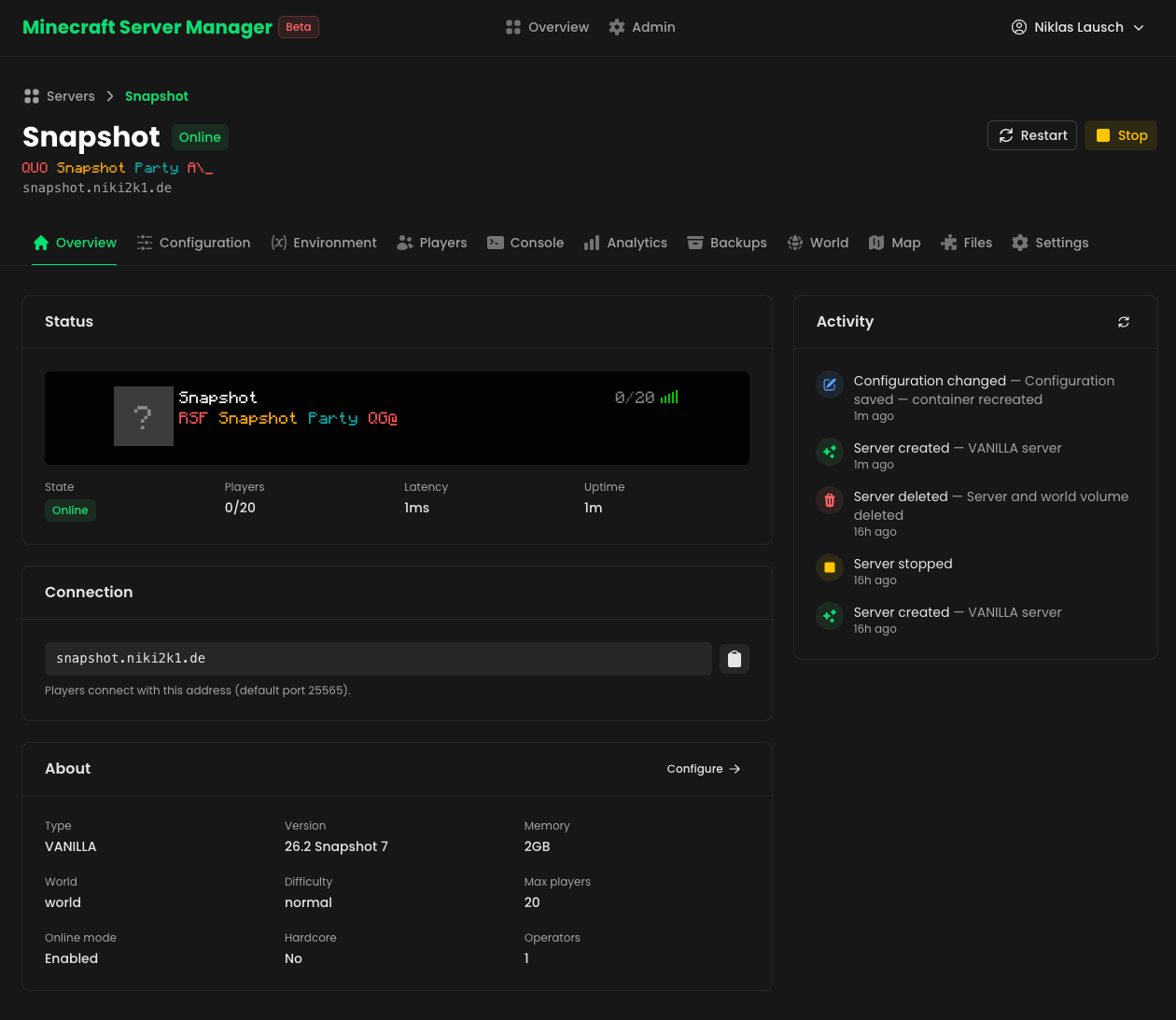
The dashboard lists every server MCSM manages, and each server gets its own set of pages: Overview, Configuration, Environment, Players, Console, Analytics, Backups, World, Map, Files and Settings.
Create a server
Click New Server to open the 4-step wizard:
Choose a type
Vanilla, Paper, Fabric, Forge, Feed The Beast or a CurseForge modpack.
Name it and pick a domain
Choose a display name, the subdomain players will connect through, and optionally upload a server icon — it's re-encoded to the 64×64 PNG Minecraft expects.
Configure the world
Minecraft version, memory limit, difficulty, game rules, MOTD, operators and whitelist — all with sensible defaults.
Review and create
A formatted summary of every setting. Tick I agree to the Minecraft EULA (required — MCSM never accepts the EULA on your behalf), then on Create Server MCSM provisions the Docker container and Infrarust starts routing the domain immediately.
Monitor your server at a glance
The Overview tab shows:
- Live status — online/offline, player count, latency and uptime, refreshed by pinging the server like a real game client would.
- In-game server list preview — the exact entry players see in their
multiplayer list: icon, MOTD (with colors and formatting) and ping bars.
Here it is, live (hover the icon, click to select):?Snapshot Party12/20⚡ Survival — Season 4 starts now!!! Fresh world · No resets · !!
- Connection card — the address players connect with, one click to copy.
- Activity feed — a timeline of everything that happened to the server: created, started, stopped, configuration changed, backups, mod installs and more.
Control the lifecycle
Start, stop and restart from the server header. Editing a server's configuration recreates its container with the new settings while keeping the world volume — your world is never touched. Deleting a server removes the container; you choose whether the world volume goes with it.
Change the server variant
Started on Vanilla and want plugins or mods later? Settings → Danger Zone → Change server variant migrates an existing server between Vanilla, Paper, Fabric and Forge while keeping the world:
- A full backup is created before anything changes — the old setup stays restorable from the Backups tab.
- Files only the old variant can load (its
plugins/ormods/directory and loader files) are removed. - The container is recreated with the new type and starts up, downloading the new server software on first boot.
Next steps
- Tune your server in Configuration & MOTD.
- Watch it run in Analytics.